Best App to Keep Track of Food in Your Fridge
You probably already downloaded one. It had a fridge tab, a freezer tab and a cheerful little carrot icon, and for about nine days you logged every yogurt. Then came a big grocery run on a tired Sunday, the bags went straight into the fridge, and the app quietly became a list of food you used to own.
So before you pick an app to keep track of food in your fridge, it helps to know why the last one died. It almost never comes down to the features. It comes down to one question every app answers differently: how does the food get in?Below are six real options, what each one makes you do, what each one costs according to its own App Store listing (checked October 5, 2026), and the kind of person each one genuinely suits. One of them is ours, and we'll tell you where it falls short too.
The only question that matters: how does food get in?
Every fridge tracker does the same easy part well. It shows a list, sorts it by date and pings you before the milk turns. The hard part is keeping that list true, because the list is only useful if it matches the actual shelves. There are four ways apps solve that, and each one has a cost:
- Typing everything in by hand. Most accurate on day one, and the reason most people quit by week three.
- Barcode scanning.Fast for packaged food. Useless for loose apples, the deli counter, or last night's leftovers.
- Receipts or store loyalty cards. Close to zero effort, but it only knows what you bought, not what you ate.
- Photos of the fridge itself.Captures what's actually there, loose produce included, but it's an estimate you check rather than a ledger you type.
Pick the method you'll still tolerate on a bad week, and the rest of the decision gets easy. We wrote more about why manual systems fade in how to keep track of what's in your fridge; this post is the shopping guide.
Six apps, compared honestly
FoodShiner: free, private and simple
FoodShiner keeps lists for your fridge, freezer and pantry, with a barcode scanner, expiration reminders and “SmartLists” that group what's expiring, expired or opened. Its listing calls the app completely free with no subscriptions, supported by optional tips. It also skips accounts entirely: your data lives on your device or in iCloud, which you can share with a household.
Best for:someone on iPhone who wants a clean, no-cost tracker and doesn't mind adding items themselves.
NoWaste: the long-running all-rounder
NoWaste has been around for years and covers the classics: freezer, fridge and pantry lists, expiry reminders, shopping lists and meal plans. You can add food by barcode, receipt or photo, and you can keep separate inventories for separate places, which is handy if you also stock a cabin or a boat. It runs on iPhone and Android. The listing prices NoWaste Pro at $6.99 a year.
Best for: organized trackers who like options, and anyone juggling more than one kitchen.
Pantry Check: barcode-first, with a big product database
Pantry Check leans hard on scanning. It uses a crowd-sourced database its listing says recognizes millions of products, plus family sharing, usage history and shopping lists built from what you're running low on. The free version tracks up to 200 items, with paid storage subscriptions after that.
Best for: households that mostly buy packaged goods and like the beep of a scanner.
KitchenPal: the shared-shopping app with a pantry attached
KitchenPal starts from the grocery list: lists you share with family in real time, barcode scanning with nutrition comparisons, and suggestions based on what's running low. The pantry side lets you set quantities and expiry dates across fridge, freezer and pantry, and it recommends recipes from what you have. Per the listing, upgrading to Premium upgrades your family members too.
Best for: families where the real chaos is the shopping, not the shelves.
Cooklist: it reads your grocery loyalty cards
Cooklist takes the most hands-off approach to getting food in. Its listing says it links to loyalty cards at stores like Walmart, Kroger, Safeway and Wegmans and imports your purchases into a digital pantry, then matches recipes to what you bought. You can also add items by barcode.
Best for: people who shop at one or two supported chains and almost always use their loyalty card. The catch is the flip side of the convenience: it knows what you bought, so you still tell it what you ate or tossed.
Custrd: the inventory fills itself in while you find dinner
This one's ours, so weigh it accordingly. Custrd starts from the moment most fridge apps ignore: 6pm, door open, nothing to eat. You point your phone at the fridge or pantry to get dinner ideas, and that same scan updates your Kitchen, a running copy of what you actually have. The inventory is a side effect of finding dinner, so it doesn't rely on you remembering to log anything.
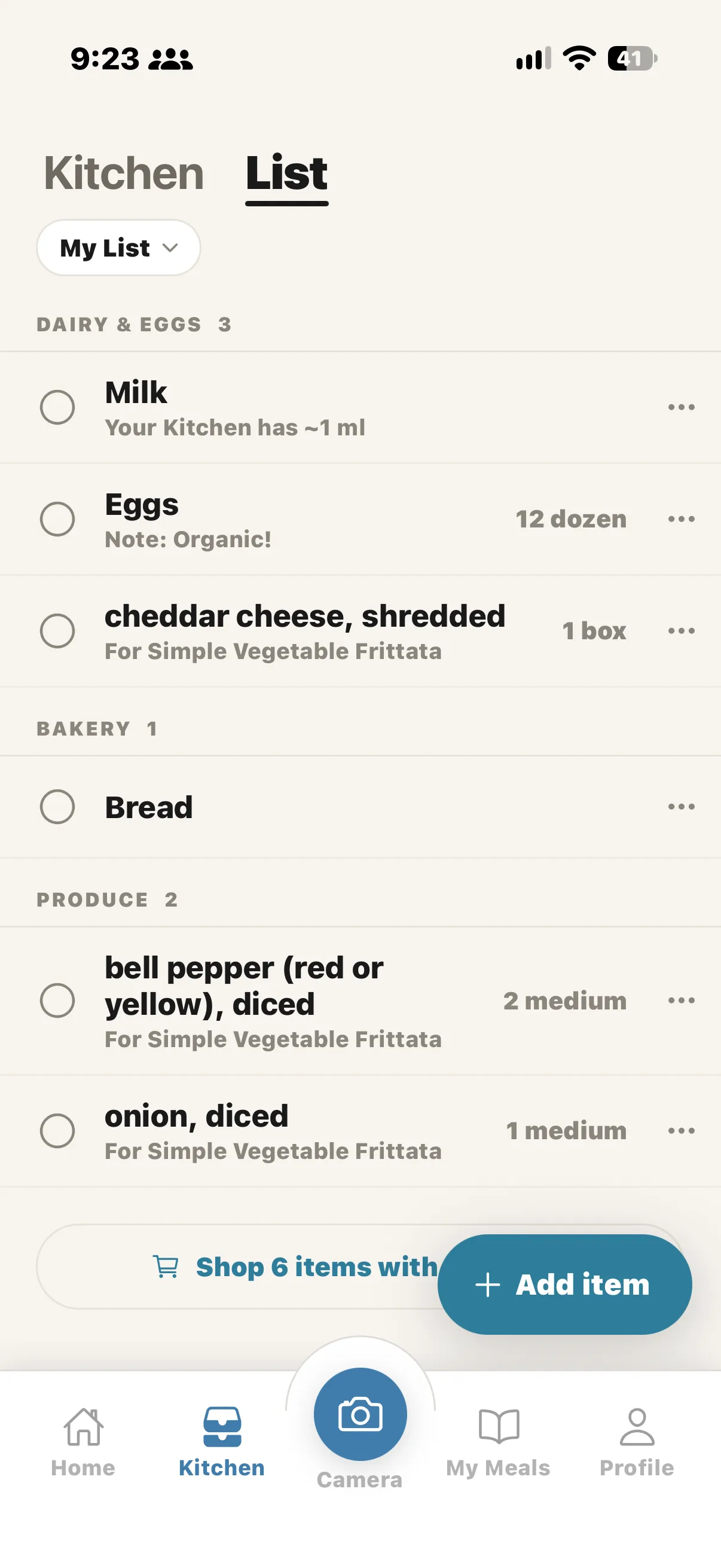
Each item gets a shelf-life estimate for its type (days for milk, weeks for potatoes), and you can edit any date. Things running short on time show up under “Use soon,” with real recipes from the Custrd library that use them up. Staples like salt and olive oil can be marked as always on hand, so you never track them again. When you want to add something on purpose, you can snap a photo, scan a barcode or type it in, and Pro adds voice. The List board is a shopping list you can share with the people you shop with, and it syncs live.
Where it falls short:the dates are estimates for the type of food, not the date printed on your carton, so check the label on anything that matters (here's what those labels actually mean). A photo can't see the yogurt hiding behind the pickle jar, so you confirm what the scan found. Photos are processed in the cloud, not on your phone. And there's no free plan: after a 7-day trial it's $39.99 a year or $9.99 a month.
Best for:people who don't want to keep an inventory at all, and mostly want to know what to cook from what they have.
So which app should you use to track food in your fridge?
Skip the feature lists and match the app to the version of you that exists on a busy Wednesday:
- You want free and you don't mind typing: FoodShiner.
- You buy mostly packaged food: Pantry Check or NoWaste, and lean on the barcode scanner.
- Your household fights about the shopping list: KitchenPal.
- You always swipe the same loyalty card: Cooklist.
- You've quit two of these already and the real problem is deciding what to make: Custrd.
One honest note across the board: no app to keep track of food in your fridge is fully accurate on its own. Barcodes miss produce, receipts miss what you ate, photos miss what's hidden. The winner is whichever one you'll still open in a month.
Two habits that keep any tracker alive
Whatever you install, these two habits do more than any feature:
- Keep an “eat me first” spot.One bin or shelf at eye level for anything opened or close to its date. The app tells you what's urgent; the bin makes sure you see it when you're hungry.
- Check before you shop, not after.Thirty seconds with the app (or the fridge door open) before a grocery run is what stops the third jar of mustard. It's also where a tracker pays for itself, because skipping one duplicate $6 block of cheese a week adds up fast.
If the bigger goal is wasting less, our guide to an app that helps reduce food waste goes deeper on cooking through what you already own.
The short version
The best app to keep track of food in your fridge is the one whose way of getting food in matches how you actually live. If typing is fine, there are good free options. If you'd rather skip the bookkeeping and just get dinner out of what's there, that's what we built. You can test the idea right now in the free web recipe finderwith no signup: type what's in your fridge and see what you can make. When you want the camera and the self-filling Kitchen, Try Custrd free for 7 days on iPhone. It's on Android too.